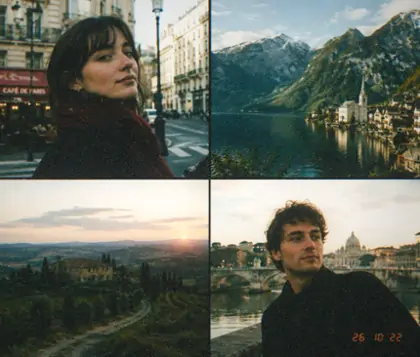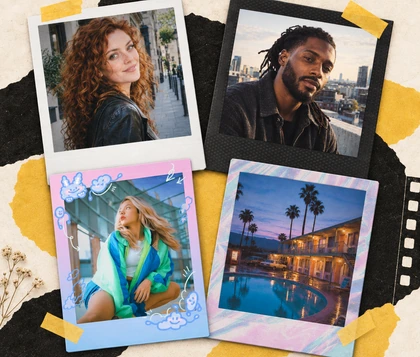
Free Old Money Filter Online for Quiet Luxury Photos

Give portraits, linen outfits and travel photos a quiet luxury finish. Our old money aesthetic filter combines Classic M, 503CW or M616 with color and texture controls for a look that feels personal.

Free · No sign-up · No watermark

View a linen portrait before the old money edit
Create a quiet luxury portrait with muted color
BeforeAfter

How Does OldRoll Create the Old Money Look?

An old money style filter brings understated color and a considered finish to everyday photos. Choose Classic M, 503CW or M616, then shape the warmth, contrast and texture around your original light.

View a doorway portrait before choosing a camera
Shape a portrait with a classic camera look
BeforeAfter

Find Your Look with Three Camera Styles

Give a simple portrait a more considered finish with Classic M, 503CW or M616. Each offers a starting point for an old money photo filter, with room to refine the result for your own light and clothing. Compare the three on the same photo, then choose the look that suits its mood. Cream, navy and brown give the edit a restrained palette to work with, whether you are editing a doorway portrait or a holiday scene.

Balance warm skin and muted greens in a portrait

Balance Muted Color with Gentle Warmth

Shape an old money color filter around the colors that matter in your photograph. Lower Saturation for a quieter palette, then use Temperature and Tint to balance warmth against skin and pale clothing. Contrast, Highlights and Shadows help you refine the light without relying on a heavy yellow cast. A small change can make bright greenery less distracting while leaving the person as the clear focus.

Add subtle grain while keeping linen detail visible

Add Subtle Grain for a Polished Film Finish

Give your old money vintage filter a tactile finish with a light layer of grain. Explore grain filter textures and adjust the amount to suit the picture, using a close view of the face and fabric to judge the result. A restrained setting gives the image a gentle film character while leaving the fine weave of a knit or linen shirt easy to see. Start lightly on portraits and add more texture only where it suits the photograph.

Keep natural skin texture visible in a softly lit portrait

Natural Skin Texture with a Polished Film Look

OldRoll creates a polished film look with natural-looking skin and visible facial texture. Classic M, 503CW and M616 bring the camera character, while color, light and grain controls shape the warmth, tonal balance and texture of the finish. Soft highlights, gentle shadows and a restrained palette give portraits a quiet luxury mood, with freckles and the natural contours of the face adding depth and personality.

Which Photos Suit an Old Money Aesthetic?

An old money aesthetic photo starts with the subject, clothing and light. These four settings offer different ways to use a restrained palette, from a linen shirt on holiday to a portrait after dinner.

Style a seaside linen portrait with warm neutrals

Turn seaside walks and café portraits into a relaxed holiday album. Cream linen, pale stone and deep blue water make a useful palette for a luxury aesthetic filter. Ease back the saturation and add gentle warmth, judging white clothing and skin together so the scene still feels like daylight.

Frame a neutral outfit in soft window light

How Can You Shoot for a Quiet Luxury Look?

The old money effect starts with a clear subject and a simple palette. A classy filter can build on those choices, whether you are shooting on a phone or revisiting a favorite photograph from your camera.

  1. Build the photograph around cream, navy, camel or brown. Two or three main colors give knitwear, shirts and jackets a clear relationship before you apply the look.

How to Apply an Old Money Filter with OldRoll

  1. Choose Your Photo

    Open OldRoll in your browser and choose a portrait, outfit shot or travel photo. Start with a clearly lit subject and enough detail in the original image.

  2. Choose a Camera and Refine

    Go to Camera and choose Classic M, 503CW or M616. Refine color, light and grain, comparing skin and neutral clothing with the original as you work.

  3. Save Your Finished Photo

    Download the finished photograph to your device in its original resolution, without an added watermark. Keep a copy ready for your album or next social post.

Choose Classic M, 503CW or M616 in OldRoll

OldRoll Old Money Filter Reviews: Examples

Linen outfits, café portraits and evening snapshots give these review examples their focus. The edits explore muted color, gentle warmth and light grain across personal photos with different lighting.

Sophie

My cream shirt finally looked right beside the café walls. I pulled the warmth back a little, and the whole photo felt calmer without looking washed out.

James

I used a tennis photo with quite bright grass behind me. Reducing the green made the navy sweater stand out, which was the detail I wanted to keep.

Elena

The holiday photo already had lovely light. Classic M gave me somewhere to begin, then I made a small color adjustment instead of trying lots of looks.

Oliver

I liked being able to leave the grain very light. The texture was there when I looked closely, but my jacket still looked like fabric in the saved photo.

Camille

My dinner portrait needed a little work on the indoor color. Once I adjusted the warmth, the pale top looked much cleaner against the darker room.

Noah

I edited a simple doorway portrait from my phone. The quieter colors suited the picture, and I didn't need a dramatic location to get the mood I wanted.

Isabel

I wanted a softer finish for a few outfit posts. Using the same color direction, with small changes for each photo, made the set feel more connected.

Theo

I went too far with the grain on my first try. Turning it down gave the face more breathing room, while keeping a little texture in the background.

Amelia

I tried the look on an old travel photo with a linen shirt and blue shutters. The warm neutrals worked beautifully with those colors already in the shot.

Lucas

The free download was useful for my digital album. I could save the edit at the original dimensions and choose the crop later when I arranged the page.

Your Questions About Old Money Photo Filters

What is an old money filter?

An old money filter gives photos a restrained, classic mood through muted color, gentle warmth and a film-inspired finish. Neutral clothing and simple backgrounds help, while the best balance depends on your photo.

Is the OldRoll old money filter free to use online?

Yes. The current OldRoll Web features are free online, and you can edit and save without an account. Download your finished photo in its original resolution without extra export compression or an added watermark.

What iPhone Photos settings can I try for this look?

Try Saturation -15, Contrast -15 and Warmth +10 as a starting point in iPhone Photos. Adjust Exposure to the original light, then compare skin and whites. These are creative suggestions, not a fixed recipe.

How do I keep a portrait from looking yellow or overly textured?

Use a neutral shirt or wall to judge Temperature and Tint, then inspect the face at full size. Reduce warmth or Grain Amount when either overwhelms the portrait. Small adjustments help the finish feel considered.

Can I use an old money Instagram filter look on saved photos?

Yes. Use OldRoll on a saved photo, then download the edit for your Instagram feed or Stories. Match the color direction across your pictures, adjusting each one for its own lighting before you share the set.

How does this compare with a rich girl aesthetic filter?

The styles overlap in their polished mood. An old money look filter usually favors understated color, classic clothing and a gentle film finish. Choose the treatment that suits your photograph and personal taste.

Explore More Film Looks for Your Next Photo