Free Online Disposable Camera Filter: Create Retro Photos

Explore a variety of retro film filters online for free. Natural-looking grain, softly blended light leaks, and nostalgic colors give every photo an authentic disposable camera feel.

Free · No sign-up · No watermark

Friends at the beach before a disposable camera filter
Give beach portraits warm film color and a date stamp
BeforeAfter

Why Choose OldRoll Disposable Camera Filter?

Create the feeling of a freshly developed roll with textured grain, nostalgic color, and a date stamp you can make your own. Keep the finish subtle or choose a more expressive film look.

A party portrait before grain and light leak effects
Add film grain and warm light leaks to a party portrait
BeforeAfter

Cinematic Grain & Organic Light Leaks

Give crisp digital photos a textured film finish with film grain and softly blended light leaks. Adjust the grain amount and light effect intensity to suit the shot: a lighter touch works for close-up portraits, while stronger texture suits lively party scenes. Warm red and amber glows add the feeling of light spilling into the frame.

Explore retro film presets for portraits and travel photos

Iconic 90s & Film Presets for Every Shot

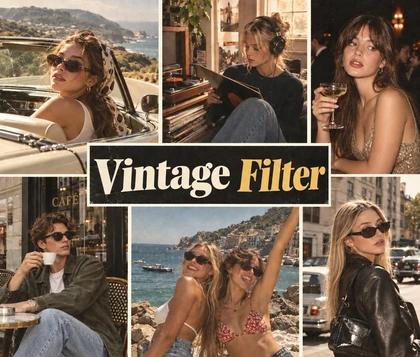
Choose from a variety of retro film filters to give every shot its own character. Explore warm 90s tones, softly faded colors, and cooler vintage palettes for selfies, travel memories, and everyday candids. With multiple presets to try, you can find a disposable camera effect that matches your photo and the mood you want to share.

Control a vintage date stamp in OldRoll disposable filter

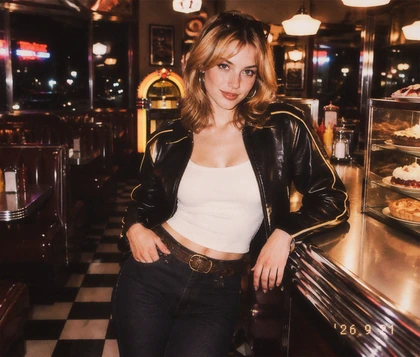
Authentic Vintage Date Stamp with Total Control

Give your photo the familiar dated-snapshot finish of a holiday album or a shoebox full of prints. Turn the date stamp on or off, and change the date to match the memory or the era you want to evoke. Keep it visible for a diary-like disposable camera edit, or leave it off when you want the composition and colors to take the lead.

Download a high-resolution film portrait with OldRoll

High-Resolution Film Exports, 100% Free

Apply a free disposable camera filter and download your edited photo at its original resolution, with no extra export compression. Keep the detail your source photo provides while adding a grainy film texture. From a small profile update to a full travel album, save a finished image ready for your next post or personal collection.

What Can You Do with OldRoll Disposable Camera Filter?

Give your favorite moments a nostalgic film finish, from nights out with friends to summer trips and everyday snapshots. Find inspiration for your next photo album or social post.

Give flash-lit party portraits a nostalgic film finish

Give house-party portraits and late-night group shots a candid, just-developed feel. Photos already taken with direct flash make a strong starting point: bright faces, deep backgrounds, and textured grain capture the energy of a night out. Share the highlights in party recaps and Instagram Stories.

How to Use OldRoll Disposable Camera Filter Online

  1. Step 1: Upload Your Photo

    Upload the photo you want to edit. Choose a selfie, a travel memory, or a candid group shot with the lighting and composition you want to keep in your film-style image.

  2. Step 2: Apply the Filter & Choose a Date Stamp

    Choose a disposable camera filter, then turn the date stamp on or off and change the date if you wish. Preview the color and texture to find a finish that suits your photo.

  3. Step 3: Preview & Download

    Review your finished photo, checking the overall tones and any date stamp. When it looks right, download the edited image for your photo album or next social media post.

Upload a photo, choose a film preset, and download

Frequently Asked Questions

Can I Use OldRoll Disposable Camera Filter Online for Free?

Yes. OldRoll is free to use online. Apply a disposable camera filter to your photo and download the result at its original resolution, without buying a camera, a roll of film, or film processing.

Can I Add a Date Stamp to My Photos?

Yes. You can turn the date stamp on or off and change the date. Match it to the day the photo was taken, or choose an earlier date to give a recent snapshot the feeling of an older album.

Can I Get a Film Look Without Buying a Disposable Camera?

Yes. Recreate the look of a disposable camera online using a photo you already have. Retro color, grain, and light leaks let you edit photos to look like film without shooting and developing a new roll.

How Do I Make My Photos Look Like They Were Taken with a Disposable Camera?

Upload your photo and choose a preset with the color and texture you like. For a convincing disposable camera look, match the filter to the original lighting and add an optional date stamp to finish.

Can I Use Disposable Camera Filters for Instagram and TikTok?

Yes. Give your Instagram and TikTok photos a distinctive retro style with film grain, nostalgic colors, and optional date stamps. A consistent look can help your posts catch attention and make your profile more recognizable.

Why Creators Use OldRoll for Disposable Camera Photo Editing

From flash-lit party shots to sun-soaked travel photos and everyday candids, see what you can create with OldRoll's retro film filters.

Maya

"The grain gives my house-party photos the scrappy photo-album mood I wanted."

Ethan

"Warm color and a light leak suit the beach pictures from our weekend trip."

Chloe

"I like adding the date to a group shot. It makes the picture feel like a little keepsake."

Noah

"My concert photos already had strong blue and pink lighting. A little grain finished the look."

Ava

"I can leave the date stamp off when I want a quieter finish on a portrait."

Lucas

"The retro presets help me give a set of road-trip photos a similar mood."

Zoe

"A cooler film look suits my street photos, especially the ones taken after sunset."

Ella

"I wanted a nostalgic selfie for my profile. The color and texture made it feel more personal."

Oliver

"The stronger grain was a bit much for my close-up. A lighter amount suited it better."

Ruby

"I tried a few presets before finding one that worked with the warm light in my photo."

More Ways to Style Your Photos