Free Online Halloween Photo Editor for a Vintage Holiday Feel

Give costume portraits, pet snaps, and party photos a vintage Halloween mood. Explore grainy color, Gothic or pumpkin-night frames, stickers, and collages. Edit online for free and save without a watermark.

Free · No sign-up · No watermark

Give costume portraits a vintage Halloween finish

Why Choose OldRoll for Halloween Photo Filters?

Choose your kind of spooky: a faded party snapshot, a dark Gothic portrait, or a playful pumpkin-night collage. This Halloween image editor puts color, texture, and finishing details in your hands.

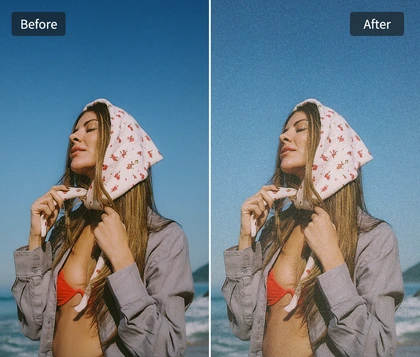
Original Halloween costume portrait
Add faded color and grain to the same costume portrait
BeforeAfter

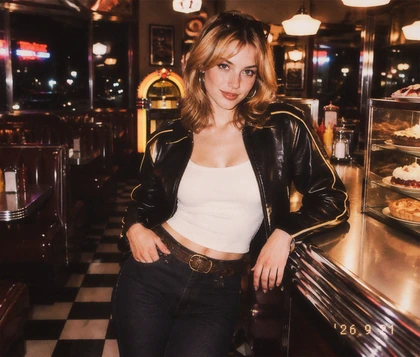
Instant 90s Spooky Aesthetic

Give costume portraits a grainy, faded 90s film look with deeper shadows and a gentle vignette. Keep pumpkin orange warm for a cozy night out, or cool the color for a moodier portrait. A subtle light leak adds a worn-film finish. This scary Halloween photo editor lets you tune the atmosphere while keeping the face and costume at the center of the picture.

Frame a Halloween portrait with a Gothic paper border

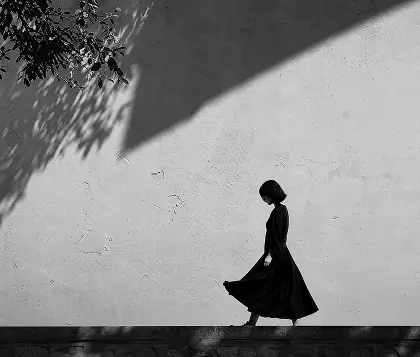
Handcrafted Halloween Polaroid Frames

Make a Halloween portrait feel like a photo tucked into an old scrapbook. Choose handcrafted pumpkin-night or dark Gothic designs with Polaroid-style frames. Match a warmer photo to a playful border, or pair cooler color with a darker design. Keep the frame clear of eyes, makeup, and costume details so the image stays easy to read.

Arrange Halloween photos in a collage with themed stickers

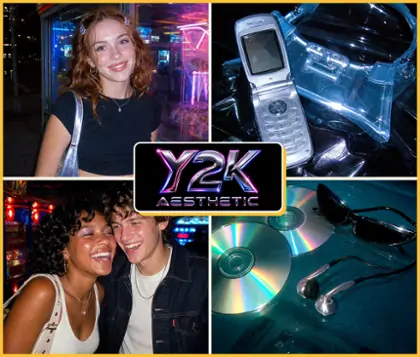
Creative Halloween Stickers and Collages

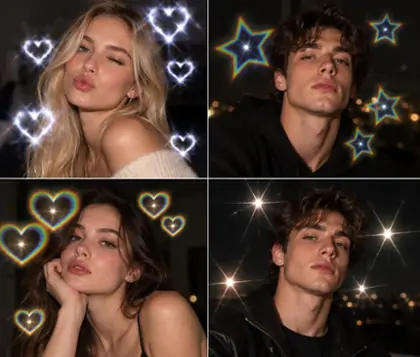
Create a custom photo collage with flexible layouts and Halloween stickers. Choose a ready-made Layout template for a quick start, or adjust photo positions and combinations by hand. Finish with themed stickers that complement your design. This Halloween photo maker gives you the freedom to control the arrangement and add a personal touch.

Download a finished Halloween photo without a watermark

Free Online Editing with No Watermark

Create your Halloween edit online for free and download the finished design without a watermark. Try a filter and frame on one portrait, or combine your favorite party shots in a collage. You can edit and save without an account. A free online photo editor for Halloween makes it easy to finish a seasonal post while your memories are still fresh.

Where Can You Use Halloween Photo Filters?

Halloween photos can feel eerie, cozy, or just plain fun. Match the color and decoration to the moment, from a candlelit costume portrait to a pet’s pumpkin outfit or a night out with friends.

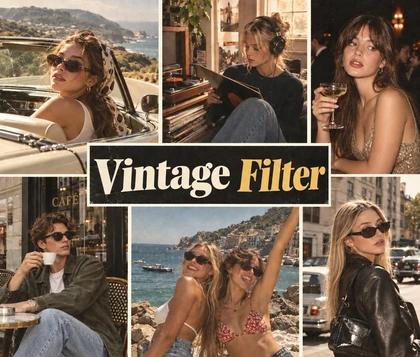
Give pumpkin-carving memories a warm film finish

Bring out the mood of trick-or-treat walks, pumpkin carving, and costume parties. Try a Halloween photo filter with warm color for lantern-lit scenes, or use cooler tones for a darker portrait. Add a little grain to connect the photos with the feel of an old Halloween album.

How to Customize Your Halloween Photos with OldRoll

  1. Step 1: Choose a Photo

    Upload or select a costume portrait, pet photo, or party snapshot. Start with visible faces and costume details, or gather several favorites to tell the story in a collage.

  2. Step 2: Customize Your Photo

    Choose a Halloween filter, then use a Layout template or arrange your photos by hand. Finish with Halloween stickers to add playful details that make the design your own.

  3. Step 3: Save and Share

    Save your finished photo or collage without a watermark. Share your Halloween memories with friends, or use the saved image for a seasonal social post or profile picture.

Choose a filter, arrange photos, add stickers, and save

Halloween Photo Editor FAQs

How do I add Halloween frames to photos with OldRoll?

Choose a photo and select a Halloween frame from the frame options. Try a pumpkin-night design for a playful finish or a darker Gothic border. Add a filter if you like, then save your finished picture.

What Halloween photo ideas can I try for Instagram and TikTok in 2026?

Try a grainy 90s party portrait, a Gothic paper-frame edit, or a pumpkin-night collage. Edit your Halloween makeup photos with subtle color and grain, keeping the makeup you already applied clear.

Can I use Halloween filters and frames on pet photos?

Yes. For the best results, we recommend a clear photo of your cat or dog with the face and costume visible. A pet portrait, a full-outfit shot, or a playful pose with room for a frame makes a great choice.

Can I use Halloween filters for photos taken at night?

Yes. Give nighttime Halloween photos a spooky finish with filters and frames. Adjust brightness and shadows to bring out faces and costumes, then try warm tones for pumpkin-lit scenes or cooler color for a Gothic mood.

Are OldRoll Halloween filters free to use?

Yes. OldRoll lets you edit Halloween photos online for free and save without a watermark. You can choose filters, frames, stickers, and layouts in your browser, with no account needed to edit or save.

Can I use Halloween photo frames for party pictures?

Yes. Frame a group shot or combine several party pictures in a collage. Use similar color treatments and matching borders to connect the photos, leaving enough room around faces and costume details.

Why Creators Use OldRoll for Halloween Image Editing

From costume portraits to party collages, users share how OldRoll’s filters, frames, and stickers help them create Halloween photos in their own style.

Emily Carter

“The faded color and grain suited my vampire costume portrait. I kept the effect light so the makeup and cape were still easy to see.”

James Bennett

“I put our pumpkin-carving photos in a collage with the finished jack-o’-lantern. It feels like a little memory board from the night.”

Sophie Miller

“The pumpkin-night frame made my dog’s costume photo feel playful. A small sticker near the corner was all it needed.”

Daniel Brooks

“We chose cooler color and matching dark frames for our Gothic costumes. The individual portraits and group shot looked more coordinated.”

Olivia Hayes

“I liked being able to move the photos myself. Our group shot needed more space than the close-ups in the collage.”

Ethan Reed

“The free download had no watermark across the design. I saved the finished picture to share with our party guests.”

Chloe Morgan

“I used a Gothic border for my Halloween profile picture. Keeping the face near the center helped when I cropped it for the avatar.”

Lucas Parker

“I could edit and save without making an account. That made a quick seasonal photo update easy.”

Grace Collins

“The darker look was a bit much for my night photo at first. A brighter adjustment helped keep the costume details visible.”

Noah Foster

“I tried a few layouts before finding one that fit all our photos. Once I simplified the stickers, the collage felt much clearer.”

What Else Can You Create with OldRoll?