Free Y2K Photo Editor Online for Bold 2000s Looks

Turn clean photos into flash-lit, sticker-covered 2000s edits with OldRoll. Start with a one-click Camera or Filter look, keep your original features visible, then fine-tune grain, glow, color and date details online.

Free · No sign-up · No watermark

Create a flash-lit Y2K portrait with grain and stickers

Why Create Your Y2K Edit with OldRoll?

OldRoll's Y2K editor combines the instant impact of a ready-made look with the controls and finishing details that make the result feel personal. Move from a clean phone photo to a complete 2000s edit without giving up the face, outfit or moment that made the original worth keeping.

Apply a complete Y2K look with one preset

Create a Complete Y2K Look in One Click

Start with a complete Y2K direction instead of building the style slider by slider. OldRoll's one-click Y2K photo filter gives selfies, party photos and outfits an immediate 2000s mood. Use Intensity to make the result bold or restrained, then continue only if you want more control. The preset establishes the visual starting point, while Light, Color and Texture remain available for a more personal finish.

Create digicam color CCD glow and direct flash

Recreate Iconic Digicam Hardware Character

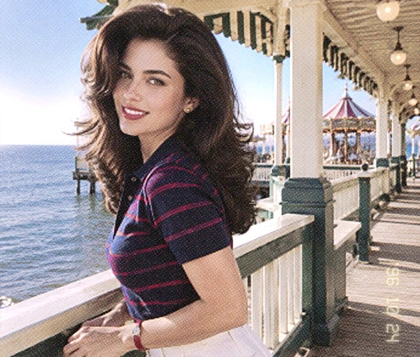
Recreate the color, CCD glow and direct-flash energy of early Canon IXY and Sony Cyber-shot cameras. The built-in digicam editor uses camera-specific emulation to build hardware character instead of adding a generic color layer. CCD-style rendering works with Exposure, Highlights, Shadows, HSL, Curves, Grain and Halation. Flash-angle control refines how light meets the subject, giving a digicam filter convincing depth.

Add Y2K stickers fonts and date details to a collage

Build with a Complete Y2K Assets Library

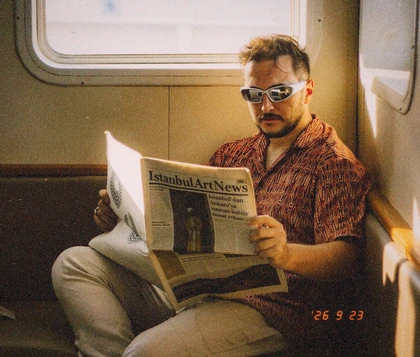
Build a Y2K composition with more than 150 aesthetic stickers, Pixel and Gothic fonts, collage templates and freeform layouts. Choose a Y2K sticker such as a butterfly, heart, chrome graphic or Windows-style pop-up for selfies, outfits and party shots. Add a customizable orange date stamp, then arrange each element around the subject. The library supports every Y2K aesthetic, from McBling and cyber-pop to lo-fi design, inside one editor.

Edit the Y2K mood while keeping facial details clear

Keep Your Face Real While Shaping the Mood

Keep the person recognizable while the 2000s filter reshapes lighting, CCD-style texture, surrounding effects and the background. Your selfie, expression and styling remain the anchor instead of being replaced by a newly generated identity. Pull back Intensity, choose a finer Grain size for skin, adjust the flash and soften Halation around bright areas. You decide how polished, hazy or low-fi the finished Y2K photo becomes.

Organize Y2K elements on a multi-layer web canvas

Arrange Every Detail on a Multi-Layer Canvas

Build Y2K layouts in an advanced web canvas instead of squeezing every adjustment into a small mobile workspace. On a larger screen, resize stickers, organize collage pieces and change layer order while viewing the full composition. This 2000s photo filter workflow keeps Camera, Filter, text, assets and adjustments in one online editor. Refine each layer, review the image and export an HD result without installing desktop software.

How to Make a Y2K Photo Edit Online

  1. Step 1: Upload Your Photo

    Choose a selfie, party photo, OOTD portrait or everyday snapshot from your device. A clear subject and visible lighting make it easier to judge the Y2K transformation.

  2. Step 2: Apply and Personalize the Look

    Open Camera or Filter and choose a ready-made direction. Set its Intensity, adjust light, color, texture and flash, then arrange stickers, retro text, collage layers or a date stamp.

  3. Step 3: Export in HD

    Review the full image, check that the face and styling remain clear, then export the finished Y2K photo in high definition for profiles, social posts, albums or prints.

Create and export a Y2K photo edit in three steps

More Ways to Shape Your OldRoll Photo

Why Creators Use OldRoll for Y2K Edits

Creators use OldRoll to move quickly from a clean phone photo to a distinctive 2000s look, then refine the grain, flash contrast, color and playful details around their own style.

Madison R.

"The one-click look gave my mirror selfie an immediate Y2K mood, but I could still lower the Intensity so my makeup and outfit stayed clear."

Chloe M.

"I used the stickers and orange date stamp for a birthday carousel. The details made the whole set feel connected without covering anyone's face."

Ava L.

"The Grain controls helped me avoid the fake overlay look. I used a finer texture on portraits and a rougher finish on concert photos."

Ethan K.

"There are plenty of adjustments if you want them. Curves took me a little time to learn, but the Camera looks and Intensity slider were easy from the start."

Sofia T.

"My party photos finally had the bright subject, darker background and soft glow I associate with old digital cameras. They still looked like my original pictures."

Jordan P.

"Editing on a larger screen made it easier to see whether the grain was too strong. I finished the look online and exported it for my profile picture."

Lily C.

"I wanted a 2000s photo editor for an OOTD post, not a completely new AI portrait. OldRoll kept the clothes and pose recognizable while changing the mood."

Noah B.

"The Halation and color controls can create a strong effect, so I preferred using them lightly. Having Intensity available made it easy to find a better balance."

Grace W.

"I mixed a cool Camera look with a small date stamp and two stickers. The result felt playful and specific instead of like a generic retro filter."

Marcus D.

"I needed a free Y2K photo editor online for cover art. The HD export kept the final image usable while the grain and flash treatment supplied the low-fi character."

Reviews from: Google Play, App Store, and more.

FAQs About the Y2K Photo Editor

What is a Y2K photo editor?

A Y2K photo editor gives modern images visual cues associated with the late 1990s and early 2000s, including direct-flash contrast, digital grain, cool metallic color, soft glow, stickers and date details.

How can I make a photo look like the 2000s?

Upload the photo to OldRoll and choose a Camera or Filter look as your starting point. Adjust Intensity, Grain, Halation, color and light, then add stickers or a date stamp to complete the 2000s effect.

Is OldRoll's Y2K photo editor free online?

Yes. OldRoll provides a free Y2K photo editor online in your browser. You can apply a ready-made look, refine the result and export the finished photo without installing desktop software.

Will a Y2K filter replace or redraw my face?

OldRoll edits the photo you upload with Camera, Filter and adjustment controls rather than asking you to generate a new portrait. Use Intensity and texture controls to keep facial details as clear as you prefer.

What is the difference between a Y2K filter and a digicam filter?

A digicam filter focuses on early digital-camera traits such as flash contrast, CCD-inspired color and visible low-fi texture. A Y2K filter can extend that foundation with cyber color, stickers, date details and broader 2000s styling.

Can I create Y2K collages with stickers and retro fonts?

Yes. Choose from more than 150 aesthetic stickers, use Pixel or Gothic fonts, add a customizable orange date stamp and arrange collage elements on a multi-layer web canvas. You can resize stickers, change the layer order and export the completed image in high definition.