Free 90s Filter Online for Authentic Retro Photos

Turn modern photos into grainy, softly glowing 1990s snapshots with OldRoll. Apply a ready-made 90s look in one click, then adjust light, color, texture and the date stamp to fit your story.

Free · No sign-up · No watermark

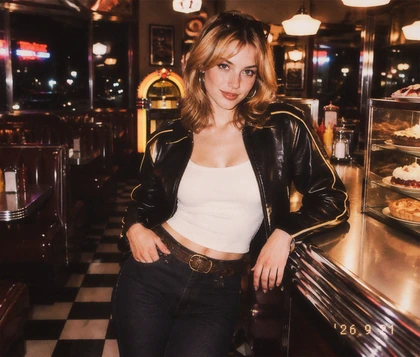
View a clean modern portrait before applying the 90s filter
Create a grainy 1990s portrait with soft glow and faded color
BeforeAfter
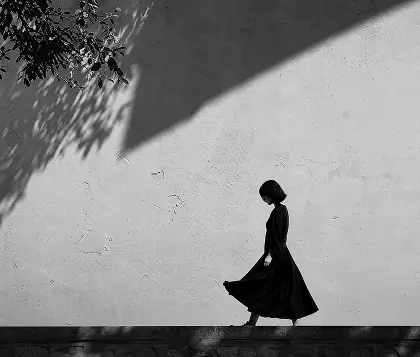
Show how OldRoll combines light color and texture for a 90s look

How Does OldRoll Recreate an Authentic 90s Look?

OldRoll recreates a 90s photo effect as a connected system of light, color and texture. A ready-made look establishes the era in one click, while focused controls let you shape the same visual cues that made printed snapshots and compact-camera photos feel distinctive.

  1. Choose a Grain type, intensity and particle size. Fine grain keeps portraits gentle, while a larger texture gives a 90s grainy filter look more visible bite.

Create a complete 90s photo effect with OldRoll controls

Why Use OldRoll for a 90s Photo Effect?

OldRoll gives you the speed of a preset without locking the result into one fixed treatment. Start with a complete 90s look, then decide how strong, faded or imperfect it should feel on your photo.

  1. Choose a Camera or Filter look and set its Intensity, so you begin with a coherent visual direction instead of assembling the effect control by control.

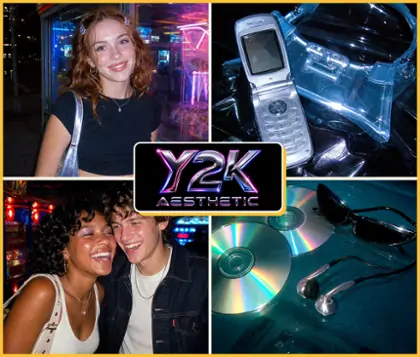
Compare 1970s 1980s 1990s and 2000s retro photo styles

Explore Retro Looks Beyond the 1990s

OldRoll turns retro editing into a clear style choice, not a vague vintage label. Compare four decade-led directions in one editor, choose the visual language that suits the source photo, then refine its strength and finish with the same familiar controls.

  1. Choose a 70s filter for golden color, sun-washed fading and a stronger vignette on portraits, picnics or travel snapshots.

Where Can a 90s Photo Filter Fit?

OldRoll adapts the 90s look to the story already present in each photo. These four scenarios show which part of the editor to emphasize, from restrained grain on everyday portraits to direct-flash contrast for nightlife or faded color for travel.

Add subtle 90s grain to an everyday social photo

Give café visits, mirror selfies and OOTD photos the casual energy of a 90s camera filter while keeping the person or outfit clear. Start with a restrained look, then tune Grain and Intensity so the result feels like an everyday camera-roll memory rather than a themed costume.

How to Add a 90s Filter to a Photo

  1. Step 1: Upload Your Photo

    Choose a portrait, party shot, travel photo or everyday snapshot from your device. A clear subject makes it easier to judge changes in grain, glow, color and contrast.

  2. Step 2: Apply a 90s Look

    Open Filter or Camera and choose the direction that fits the image. Set its Intensity, refine light, color and texture, then add stickers or change the orange date stamp to a 199x year.

  3. Step 3: Export in HD

    Review the finished 90s filter effect at full size and export the photo in HD. The result is ready for social posts, digital albums, layouts or prints.

Use three steps to apply and export a 90s photo filter

More Ways to Shape Your OldRoll Photo

Why Creators Use OldRoll for 90s Photos

Creators use OldRoll to give clean phone photos more grain, softer light and period color while keeping enough control to make each portrait, party shot or travel memory feel personal.

Ava M.

"The filter gave my café photos the soft color and grain I wanted without turning every image orange. Lowering the Intensity kept the set consistent and still looked natural."

Ethan R.

"I used it on old family scans and newer phone pictures for one birthday album. Matching the grain and date stamp helped the photos feel like they belonged together."

Mia T.

"The Grain controls made the biggest difference for me. I could choose a finer texture for portraits and a rougher finish for concert photos instead of using one fixed overlay."

Lucas P.

"The one-click look was a strong starting point, and the light controls were useful. I spent a little time learning Curves, but Intensity and Highlights were easy to adjust."

Chloe S.

"My direct-flash party photos finally had the darker background and softer glow I was after. The result felt more like a real camera roll than a novelty filter."

Noah K.

"I made a 90s yearbook filter look for a group portrait and changed the orange stamp to 1997. That small detail made the whole image feel much more specific."

Grace L.

"The 70s, 80s and 90s directions made it easy to compare moods before editing. I chose the 90s look for my road-trip set and kept the grain fairly subtle."

Jordan C.

"The Light Leak options are expressive, though I prefer them at a lower strength on portraits. Being able to change the type and intensity helped me find a better balance."

Lily B.

"I used OldRoll for product photos of vintage jackets. Softening the highlights and adding a little grain gave the campaign a less polished, more editorial character."

Marcus D.

"I wanted a free 90s filter app experience without installing another editor. Working online, adding the date stamp and exporting the final photo in HD covered everything I needed."

Reviews from: Google Play, App Store, and more.

FAQs About the 90s Filter

What does a 90s filter do to a photo?

A 90s filter adds the grain, softer highlights, faded color and charming imperfections associated with 1990s snapshots. OldRoll lets you begin with that direction, then refine its strength and texture.

How can I make an iPhone photo look 90s?

Upload the iPhone photo to OldRoll, apply a Camera or Filter look and adjust Intensity. Grain, Curves, Highlights and Halation can then move a clean phone image toward a softer 90s photo effect.

Is OldRoll's 90s photo filter free online?

Yes. OldRoll provides a free 90s filter online, so you can apply the look, adjust its light, color and texture, add a date stamp or stickers and export the finished photo in HD.

Can I customize grain, light leaks and date stamps?

Yes. Choose the Grain type, strength and particle size, then select a Light Leak type and adjust its intensity. The orange date stamp can also be changed to any year in the 1990s.

Is this a 90s filter app or browser editor?

OldRoll works as an online 90s photo editor in your browser, so there is no desktop software to install. Upload an existing photo, shape the look and export it when the edit feels complete.

Will the 1990s photo filter reduce image quality?

OldRoll exports the finished photo in HD, so adding grain or glow does not mean settling for a tiny final file. Review the effect at full size, keep the subject readable and download without a watermark.