Free Online Photo Booth for Personalized Photo Strips
OldRoll’s photo booth editor takes a timed series of selfies or uploads your favorite photos. Choose a layout, add OldRoll filters, frames, and stickers, then save your finished creation.
What Can You Do with OldRoll’s Online Photo Booth?
OldRoll gives everyday moments a place in your next post, party keepsake, or digital journal. Timed shots, coordinated filters, and decorative frames turn a few photos into something personal.
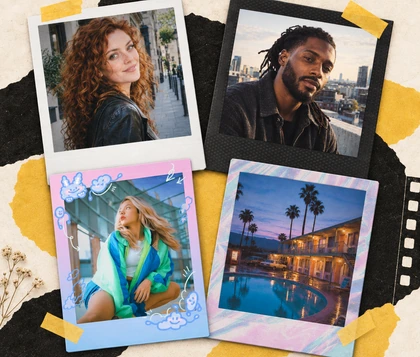
A four-shot strip gives your social posts more personality than a single selfie. The countdown leaves time for smiles, funny faces, and different poses. Coordinated filters and frames bring Y2K photo effects to the set, creating a small keepsake you can share or save.
Why Choose OldRoll’s Online Photo Booth?
OldRoll brings the photobooth online with flexible photo sources and a coordinated retro finish. Layouts, group filters, frames, and stickers help each strip feel considered without editing every shot separately.
Your Choice of Fresh Selfies or Saved Photos
An online photobooth gives both new moments and saved favorites a place in the same creation. OldRoll works in your phone or computer browser, with camera capture, countdown timing, and automatic shooting for a sequence of expressions. Existing photos can be uploaded one at a time, so a strip does not depend on everyone posing again. Fresh shots and uploads can also share a layout when your story needs both.
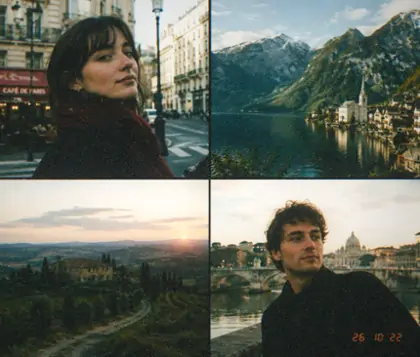
Seven layouts give each set of photos a shape that suits its story. OldRoll’s photo booth strip maker includes vertical four-shot strips, a 2×2 grid, two-photo and three-photo arrangements, plus a single-photo option. A tall strip follows a sequence of expressions, while a grid brings separate moments together. Two or three selected shots have their own space, so your layout can follow the memories rather than a fixed photo count.
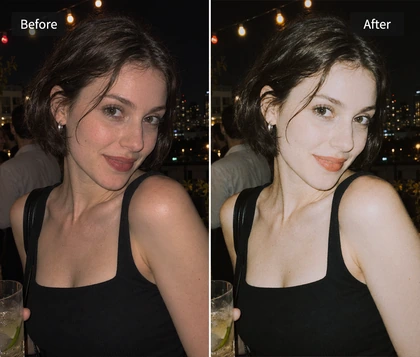
One photo booth filter brings the whole group into a coordinated look, saving you from matching each shot by hand. OldRoll offers nine choices across the 1960 and 2000 series, with different tones for selfies and everyday memories. A film filter helps separate moments feel like part of the same set. Filters apply to the group together, making it easier to compare styles and choose the mood that fits your photos.
Frames and stickers make a photo strip feel personal to your outfit, mood, or occasion. OldRoll includes 19 frames and over 100 stickers, with vintage and Y2K options for different looks. The Solid frame offers 11 color choices, including eight solid colors and three gradients. Stickers can be moved, resized, and rotated across the finished composition, giving you room to arrange the details without redesigning the entire strip.
The booth starts with the shape of your keepsake. A layout sets the number and arrangement of photos, and an initial frame gives the group its starting style.
02
Take Photos or Upload Favorites
Photos can come from the camera or your collection. The countdown and Auto capture support fresh poses, while uploads fill slots one photo at a time.
03
Edit Filters, Frames, and Stickers
The finished group is ready for a personal look. One filter unifies the photos, while frames, color choices, and movable stickers complete the design.
04
Save Your Strip or Continue a Collage
The complete strip saves as a high-resolution PNG with its frame and stickers. It is also available in Layout for a larger collage or digital journal page.
These creator posts show photo booth ideas made with the OldRoll app, from home selfies to playful poses together. Original caption excerpts and short style notes offer inspiration for your own photo strips.
@soumy.aaxa
TikTok
“Get yourself some iconic photobooth pictures at home, girlie.”Home selfies become a collection of expressions in this creator’s OldRoll app post. The photo strips offer inspiration for a personal shoot without leaving your room.
“This is probably our favorite challenge.”A shared challenge gives an OldRoll app session a playful purpose. The idea is to enjoy the posing together and let the different reactions become part of the memory.
“Capturing moments just got easier!”This couple’s OldRoll app post puts everyday closeness at the center. A photo strip becomes a small record of time together, with the expressions carrying the story.
“Bisa photobooth di hp & udah dapet paper strip-nya, tinggal foto-foto aja / masukin foto dari galeri!”This OldRoll app post highlights two starting points: taking new photos or bringing in pictures from the gallery. It is a useful idea for making a keepsake from moments already captured.
“photobooth meme poses”Meme-inspired expressions turn this OldRoll app post into a pose reference for friends. A few deliberately silly faces give the sequence a shared joke and an unmistakably personal feel.
“Tutorial de Photobooth usando el OldRoll”This creator’s OldRoll app tutorial pairs the process with photo strip examples. The result is a useful reference for connecting a pose sequence with the look of the final keepsake.
Home selfies, small celebrations, and digital journals call for different kinds of keepsakes. These examples focus on the layouts, shared filters, and decorative details behind a personal photo strip.
Alex
★★★★★
"I wanted a few different expressions for my next post. The countdown gave me time to change poses, and the four-shot strip felt more like me than one selfie."
Jamie
★★★★★
"We put a laptop on the coffee table during a birthday hangout. The automatic shots caught the moment we all started laughing instead of holding one smile."
Sam
★★★★★
"I already had photos from our dinner date, so uploading them was the part I needed. The matching frame brought the little moments together in one keepsake."
Taylor
★★★★★
"The 2×2 grid suited my weekend pictures better than a tall strip. I liked being able to choose the arrangement around the photos I actually wanted to keep."
Morgan
★★★★☆
"I liked the retro filter on the whole set. I did need a moment to choose between the looks, but matching every photo separately would have taken me longer."
Casey
★★★★★
"The Y2K frame worked with my outfit photos. Moving the stickers around made the finished strip feel personal instead of leaving every decoration in one spot."
What Should You Know About OldRoll’s Photo Booth?
Can I use OldRoll’s photo booth online for free?
+
Yes. Guests can complete three successful Booth save sessions in the current project before a fourth requires sign-in. A finished strip counts once per save session, regardless of how many photos it contains.
Can I upload photos instead of using the camera?
+
Yes. Existing photos can be uploaded one at a time and cropped before joining the layout. You can also mix uploaded images with camera shots, so a strip can combine saved memories and a new expression.
Can I preview a photobooth filter while I shoot?
+
Filters appear after capture, rather than over the camera view. The capture screen shows original photos. Photo booth effects are previewed in the editing stage, where one filter applies to the whole group.
How do I save my strip and use it in a collage?
+
The completed strip saves as a high-resolution PNG with frames and stickers. It also appears in Layout for further collage work without saving first. A refresh or closed tab will not restore Booth edits.
Why isn’t my camera working?
+
Camera capture needs your browser’s permission. If access is blocked, the site’s camera permission can be enabled in browser settings. Closing another app using the camera may help, or you can upload photos.
What makes OldRoll different from other photo booth websites?
+
OldRoll combines seven layouts with nine group filters, vintage and Y2K frames, and movable stickers. Its photo strips can also become part of a larger Layout collage, connecting a session with a fuller memory page.